

Real-time CX is more than a faster dashboard
For years, businesses have invested heavily in customer experience analytics. They’ve built data warehouses, run surveys, and tracked countless metrics. But often, this data arrives too late to truly impact the customer’s experience. We’re seeing a fundamental shift happening – a move from simply understanding what happened to being able to react in the moment. This is the power of real-time customer experience monitoring.
The difference isn’t just speed; it’s a change in mindset. Traditional analytics are largely reactive – you identify a problem after it’s already affected customers. Real-time monitoring is proactive; it allows you to anticipate issues and intervene before they escalate. I think 2026 will be a pivotal year, as companies realize that those who can act on live customer insights will gain a significant competitive advantage.
Lagging indicators, like monthly churn rates, tell you what has happened. Leading indicators, such as real-time sentiment analysis or a sudden drop in website engagement, tell you what is happening and what might happen. Focusing on leading indicators is where the true value of real-time monitoring lies. It’s about shifting from analyzing the past to shaping the present and future of the customer experience.
How we layered the CE 65 dashboard
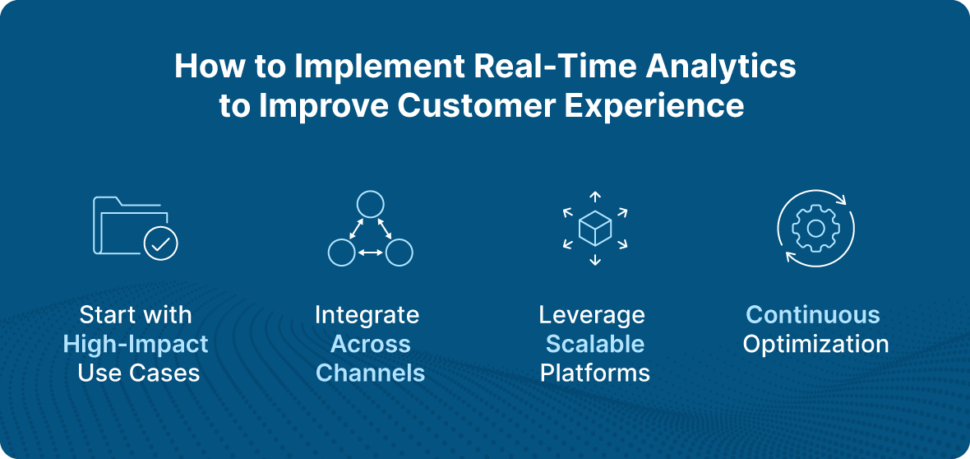
The CE 65 analytics dashboard is designed to handle the constant flow of data that comes with real-time monitoring. It’s not just about throwing all that data onto a single screen; it’s about organizing it in a way that’s both comprehensive and actionable. We’ve built the dashboard with a layered approach, starting with a high-level overview of key health metrics.
At the top level, users see critical indicators like Customer Satisfaction (CSAT) scores, Net Promoter Score (NPS), and churn risk. From there, they can drill down into specific customer journeys, segments, or individual interactions. This allows for a focused investigation when something requires attention. The dashboard’s architecture is built to scale, handling large volumes of data without performance degradation.
CE 65 consolidates data from a variety of sources – your website, mobile app, CRM system, social media channels, and more – into a unified view. This eliminates data silos and provides a holistic understanding of the customer experience. AI plays a central role in surfacing anomalies and potential issues, flagging them for immediate attention. The AI isn’t simply reporting on the data; it’s actively looking for patterns and predicting future behavior.
Tracking metrics that actually move
While CSAT and NPS remain important, real-time monitoring demands a broader set of metrics. CE 65’s dashboard tracks session replay analysis, allowing you to literally see how customers are interacting with your website or app. This provides invaluable insights into usability issues and areas for improvement. We also track micro-feedback signals – short, in-app surveys triggered by specific actions, like abandoning a shopping cart or struggling with a form.
Predictive churn indicators are another key component. By analyzing customer behavior, we can identify those who are at high risk of leaving and proactively intervene. These metrics aren’t isolated; they’re interconnected. For example, a sudden drop in task completion rate on a key feature might correlate with a spike in negative sentiment on social media. CE 65 helps users identify these correlations through automated alerts and data visualizations.
Contextual data is crucial. Knowing who is experiencing an issue and where in the journey it’s happening is essential for effective intervention. The dashboard provides detailed customer profiles, including demographics, purchase history, and recent interactions. This allows you to tailor your response to the individual customer’s needs.
Real-Time CX Metric Comparison – CE 65 Advanced Analytics Dashboard
| Metric Name | Data Source | Actionable Insight | Complexity |
|---|---|---|---|
| CSAT | Direct Customer Surveys, In-App Ratings | Identifies immediate satisfaction levels with specific interactions or features. Flags areas needing quick attention to prevent negative word-of-mouth. | Low |
| NPS | Post-Interaction Surveys, Relationship Surveys | Gauges overall customer loyalty and identifies promoters and detractors. Provides a high-level view of brand health. | Medium |
| Session Replay | Website/Application Recording | Reveals user behavior, usability issues, and friction points within the digital experience. Helps pinpoint why users abandon tasks. | High |
| Micro-Feedback | In-App Prompts, Embedded Surveys | Captures contextual feedback at key moments in the customer journey. Provides granular insights into specific pain points. | Medium |
| Churn Risk | Behavioral Analytics, Predictive Modeling | Identifies customers likely to discontinue service based on usage patterns and engagement levels. Enables proactive intervention. | High |
| Task Completion Rate | Event Tracking, Funnel Analysis | Measures the percentage of users successfully completing key tasks (e.g., purchase, form submission). Highlights areas of process breakdown. | Medium |
Illustrative comparison based on the article research brief. Verify current pricing, limits, and product details in the official docs before relying on it.
Automating the response
The CE 65 dashboard isn’t just about seeing issues; it’s about responding to them quickly and efficiently. That’s where our automation and alerting capabilities come in. Users can set up automated alerts based on predefined thresholds for any of the tracked metrics. For example, if a customer’s sentiment score drops below a certain level, an alert could be sent to a customer success manager.
Beyond alerts, CE 65 allows for automated actions. If a customer abandons a shopping cart, the system can automatically trigger a personalized email offering a discount or assistance. Or, if a customer is struggling with a specific task, a proactive chat session can be initiated. These automated responses save time and improve customer satisfaction.
The level of customization available in these triggers is quite robust. Users can define complex rules based on multiple criteria, combining different metrics and customer segments. This allows for highly targeted and relevant interventions.
Personalization without the creep factor
Real-time monitoring is only truly effective when combined with segmentation and personalization. It’s not enough to know that there’s a problem; you need to know who is affected and tailor your response accordingly. CE 65 allows users to segment customers based on a wide range of criteria, including demographics, behavior, purchase history, and real-time signals like location or device type.
This segmentation enables powerful personalization. Imagine a customer struggling to complete a purchase on their mobile device. The system can recognize this and automatically offer assistance via a mobile-optimized chat window. Or, a loyal customer might receive a personalized offer based on their past purchases. The goal is to deliver the right message, to the right customer, at the right time.
The dashboard connects to your existing sales tools to keep personalization consistent. We have to be careful here, though. There is a fine line between being helpful and being creepy. Respecting privacy is more important than hitting a relevance metric.
B2B and retail have different needs
CE 65 serves both B2B and retail clients, and the real-time monitoring requirements differ significantly. In B2B, the focus is often on account health, usage patterns, and proactive outreach to key stakeholders. Monitoring product adoption rates, identifying accounts at risk of churn, and providing personalized support are all critical.
For example, if a key account’s usage of a particular feature drops significantly, an alert could be sent to an account manager, prompting them to reach out and offer assistance. In retail, the priorities are different. Website performance, shopping cart abandonment, and in-store experience monitoring are key areas of focus. A sudden spike in website errors could indicate a technical issue requiring immediate attention.
The CE 65 dashboard adapts to these different use cases with customizable dashboards and metric configurations. We offer specific features tailored for each market, such as account-level reporting for B2B and in-store traffic analytics for retail. The flexibility of the platform allows clients to focus on the metrics that matter most to their business.

No comments yet. Be the first to share your thoughts!